Changelog
Product updates and improvements.
Revise your CV after an application is marked Applied
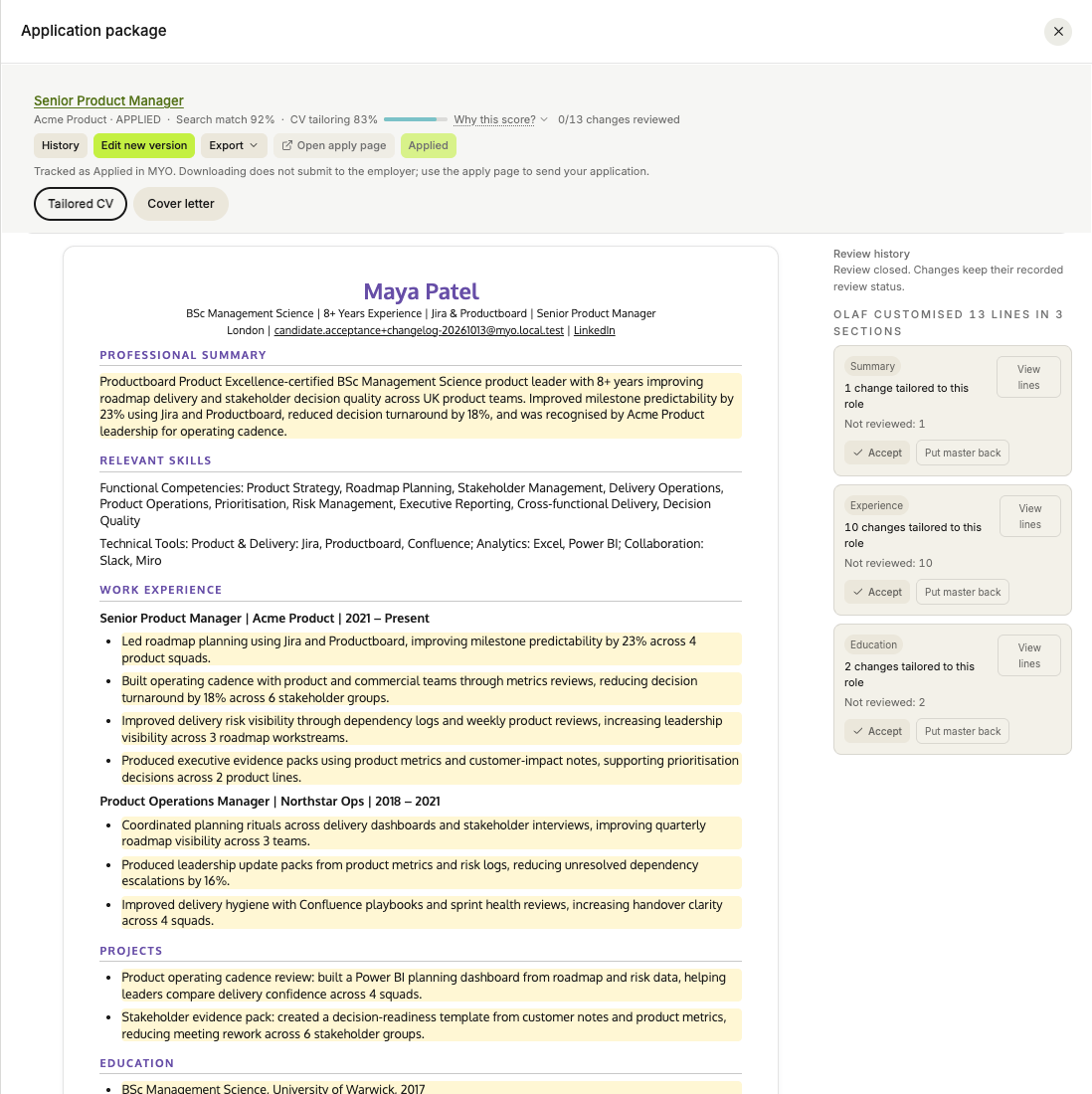
You can now choose Edit new version on an Applied or Archived application, then edit its CV and cover letter manually or with Olaf. The previous documents are saved in History, and revising them does not use another application slot or change your Tracker status.
Targeted edits now preserve the other sections and their formatting. If an AI edit fails, manual editing remains available. Review updates also stop waiting sooner and show when a change could not be completed.
Edit and restore application documents →
Improvements and fixes
- Longer messages to Olaf. Paste a CV or job description into a message of up to 20,000 characters, including quoted text. Messages above the limit stay in the composer with an explanation. Publishing your master CV is not required to send a message.
- Continue after fixing your CV. A saved review answer no longer blocks onboarding when you have already corrected the issue in your CV. Your answer stays in the review history.
- Consistent CV editing. The master CV editor in chat now saves your section order, custom sections, font and colour consistently with the main editor.
See your weekly allowance and next reset
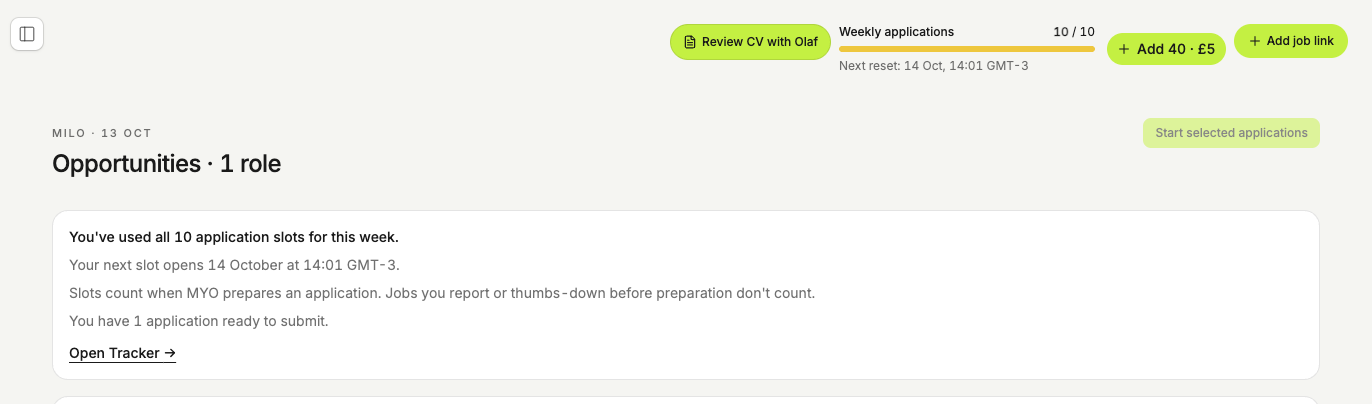
The header and sidebar now show how many weekly application slots you have used and when the next reset is due. When you reach the limit, MYO explains it immediately instead of saying Olaf is still preparing the role. You can still open Tracker and submit applications that are ready.
The application-pack offer shows your remaining monthly allowance plus the 40 extra applications. Packs remove the weekly cap until your next renewal; that expiry date appears before checkout. Email reminders can now also reach members who have used their weekly allowance, even when they still have AI credits.
Get more job matches when you buy an application pack
Milo now looks for enough suitable jobs to cover your remaining monthly allowance plus your new pack. You can work through those matches immediately, without waiting for the usual weekly batch.
If there are not enough suitable matches today, Milo tries again the next day without repeating jobs already offered. Your updates distinguish new matches from earlier ones still waiting. Email links to your list; WhatsApp shows the total, a few top matches and a link to all of them, according to your notification settings.
Arrange your workspace in Canvas
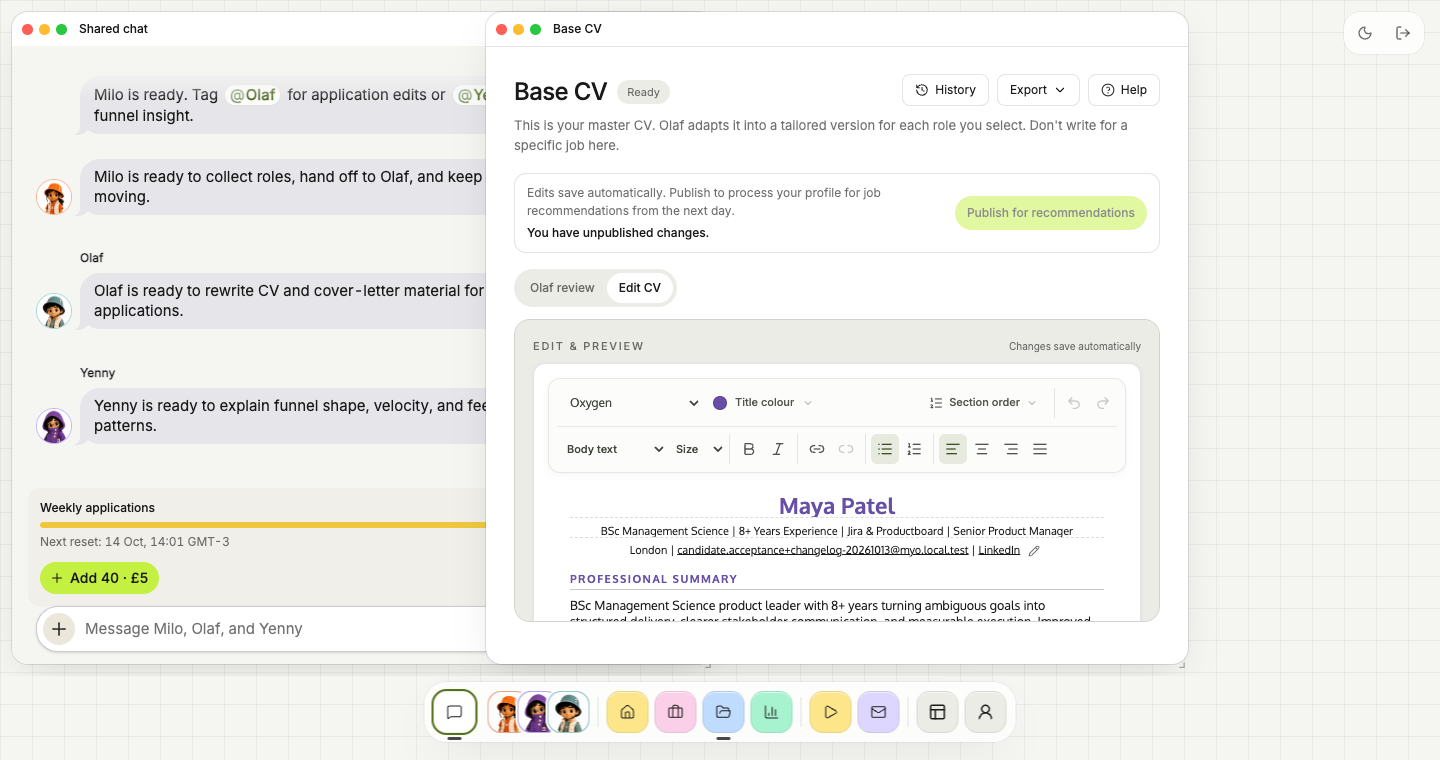
Canvas now includes shared crew chat as the first dock item, with Milo, Olaf and Yenny's direct messages grouped beside it. Drag windows to move them, resize from the edges, and reopen minimized windows without losing your draft.
Use Cmd/Ctrl + K to search and open pages inside Canvas. The dock account menu includes Profile, Settings, Help and Docs, while compact controls let you switch between light and dark mode or leave Canvas. Your window arrangement is remembered on this browser.
Improvements and fixes
- Blocked job links. Verification pages from job sites are no longer saved as if they were vacancies. If a site blocks access, MYO asks for the job description instead.
- CV chat history. Load earlier messages in the CV editor, with recovered drafts kept in a scrollable area. The editor header now follows dark mode.
- WhatsApp recovery. After a connection interruption, MYO checks missed conversations against recent web-chat activity before replying, so already-resolved requests are not repeated.
MYO Grow is now £18 a month
New Grow subscriptions are £18 / $24 per month, with 100 applications a month and up to 25 in any rolling seven days. Milo's job recommendations, tailored CVs and cover letters, and your shared AI credits remain included.
Edit applications without losing your place
Editing a tailored CV now keeps the cursor where you are typing when your changes save. You can also add another job link directly from Olaf's applications and document workspace, without switching tabs first.
Writing preferences saved with Milo now travel with your application to Olaf. Ask either specialist to remember your preferred tone, summary style or details to preserve, and Olaf can use those directions in future drafts and revisions. Your approved career history remains the source for factual claims. Writing preferences →
Pro and Max members can choose Turbo when adding a job by link, just as they can for a recommended job.
We also fixed a recommendation preparation error affecting profiles with more than 20 saved target roles.
Email reminders when your credits run low
MYO can now send a gentle email when your shared AI credits are running low, with a link to optional application packs. Reminders respect your email preferences, stop when your balance recovers, and skip the day before your allowance renews.
By default, you receive at most one reminder every seven days. Manage your notifications →
Get your weekly job matches together
UKjobs community members now get up to 10 suitable matches together at the start of their weekly recommendation cycle. Keep the same picks available throughout the week, with reminders to work through your remaining applications.
Use thumbs down when a role is not for you. On every plan, Milo uses your feedback to look for a replacement from the following day. Replacements use the usual recommendation credits and depend on suitable jobs and your available allowance. Reloading does not trigger another replacement.
Your monthly application allowance and rolling seven-day application limit still apply. See how your weekly matches work →
MYO is included with your UKjobs community membership
Application allowances and packs are now available. Your community allowance appears in MYO once your Skool membership has been activated.
Your UKjobs community subscription on Skool includes MYO for your job search: 40 applications a month, with up to 10 in any rolling seven days. Meet Milo for job ideas, prepare tailored documents with Olaf, and follow your applications with Yenny. Your community payment stays on Skool.
Explore your community membership →
See your allowance and choose when to apply more
Billing shows your remaining monthly applications, renewal date and when the next weekly slot becomes available. The public MYO plans are Grow: 100 applications/month, Pro: 150, and Max: 250. Grow includes up to 25 applications in any rolling seven days and Pro includes 38; Max has no weekly cap. Pro’s weekly limit now lets you use all 150 included applications even in a 28-day month. Daily suggestions follow that pace: 3–4 for Grow and 5–6 for Pro, subject to available matches and remaining allowance.
A £5 / $7 application pack adds 40 applications and supporting AI usage, and lifts the weekly cap until your next renewal. Packs stack and expire at that renewal. Monthly allowances start fresh, with no rollover.
Preparing a tailored CV and cover letter for a new role counts once. Editing that application or importing an existing tracker entry does not consume another application slot. Heavy chat or premium AI usage can use the shared AI budget sooner.
Update your Tracker automatically from Gmail
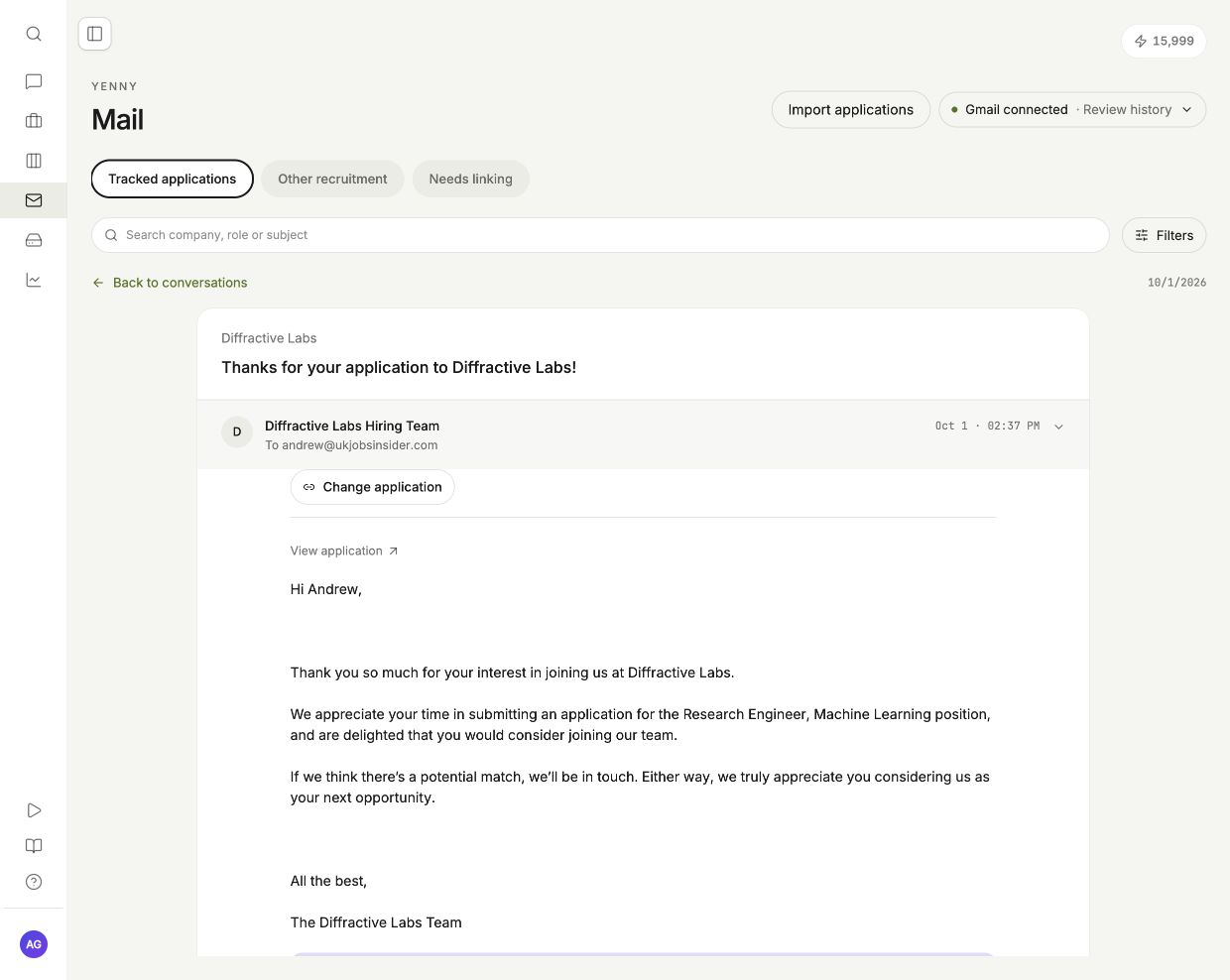
Connect Gmail so Yenny can update your Tracker from matched application emails. Review uncertain matches and updates. Each application brings its timeline, messages and documents together. Link a missed conversation yourself, or create an external application from it.
Yenny uses linked emails in your reports. She separates application receipts from recruiter replies, interviews and decisions. You can see what happened and when.
Reply from MYO yourself, or ask Yenny for a draft using your saved profile and writing preferences. The draft price appears before you start. You review the text and select Send reply. Yenny does not send replies automatically.
Connected assistants get Mail and Tracker tools too. Claude or ChatGPT can read your application emails, prepare a reply for your approval, review tracker imports, check Google Drive sync and read saved Yenny reports. See the connector guide.
Import your existing job applications from Excel or CSV
Import your tracker from CSV or Excel. Check the columns, dates and application details before you add anything. MYO supports multiple worksheets, headers below notes, and applications arranged in rows or columns.
Keep the application history you already have. Correct uncertain fields before importing, without filling in each application again. Mapped rows use no credits; the preview shows the price if AI extraction is needed.
Save documents, emails and Yenny reports in MYO and Google Drive
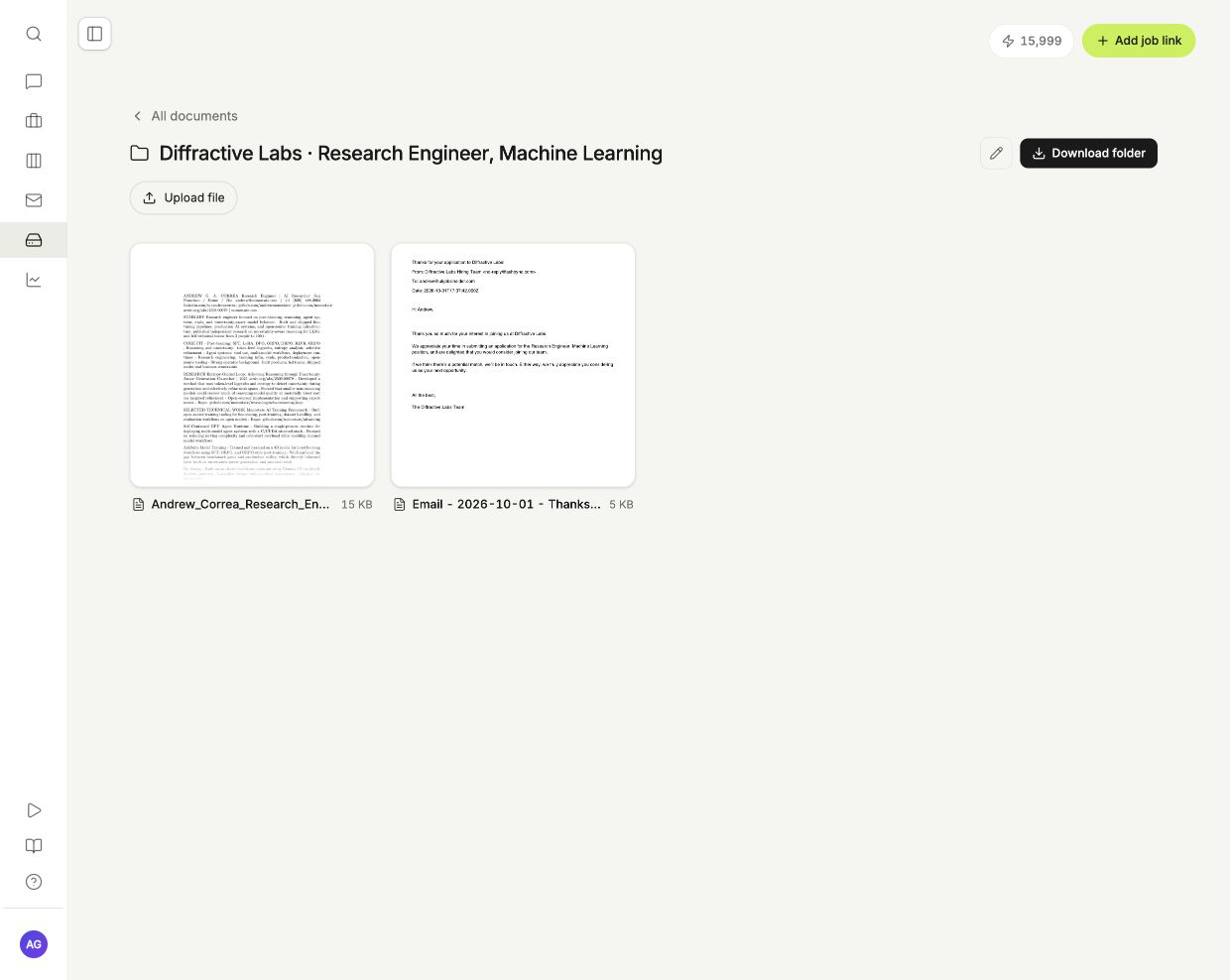
Each application folder holds saved documents and linked emails as PDFs. Original documents and Yenny reports have pinned folders. Turn on Google Drive sync to keep copies in your own MYO folder.
Google Drive sync uses no AI credits. You can pause it at any time.
MYO is now available in Claude’s connector directory
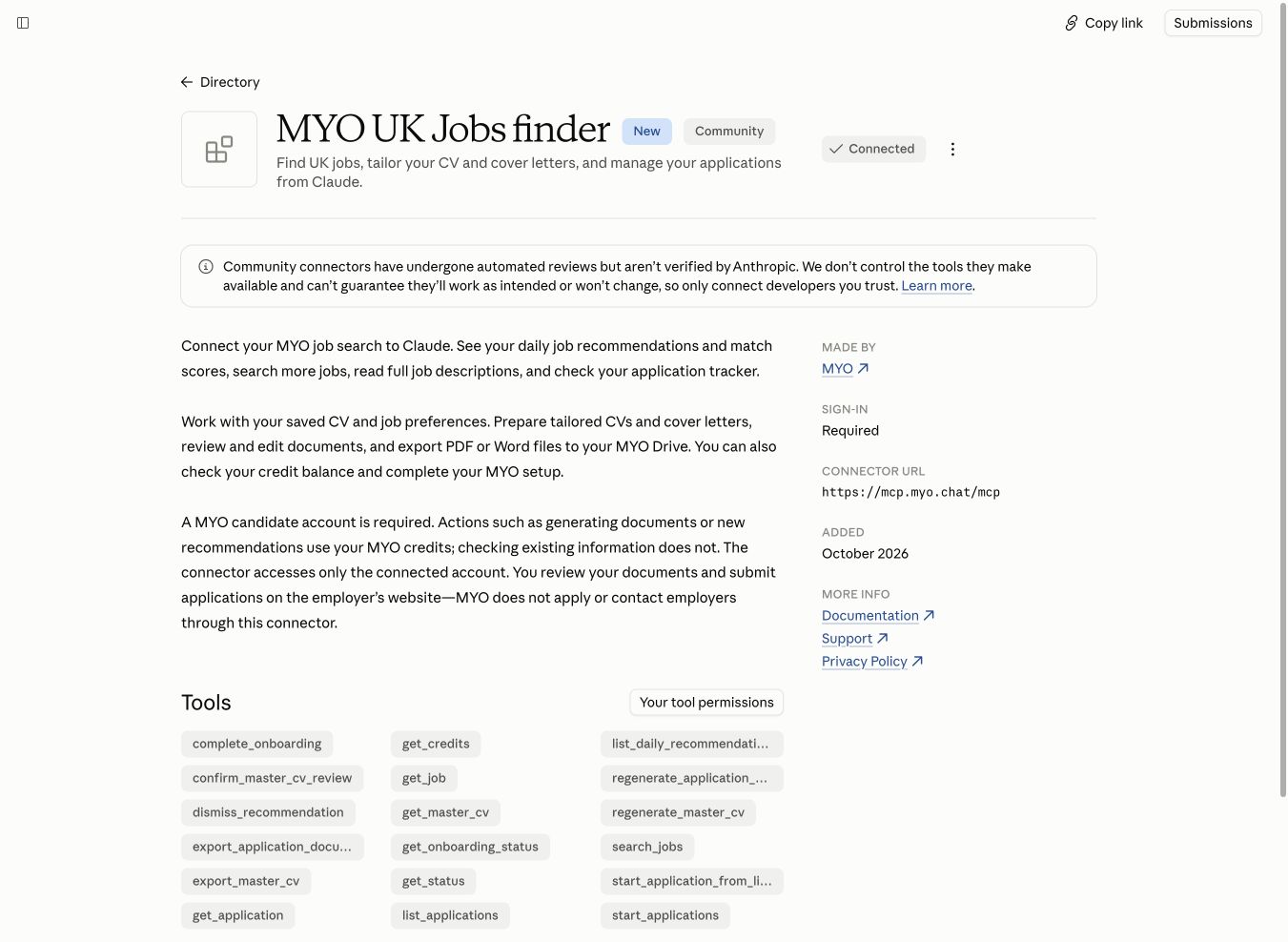
MYO is now listed in the Claude directory. Select Connect and sign in to your MYO account. There is no server URL to copy.
Use Claude to find jobs, review your tracker, and prepare application documents. If your organization requires approval, the listing shows Request for your admin.
Improvements and fixes
- CV export formatting. PDFs now preserve pipe separators in contact details and your saved text alignment, including justified paragraphs and bullet points.
- Onboarding pay question. Milo now asks for a rough pay target or range if you skip it. Reopen onboarding to continue with your previous answers saved.
Thanks to everyone who reported these issues and shared screenshots.
LinkedIn details need your approval before they enter your CV
Milo now asks before adding a detail from LinkedIn or changing a date in your uploaded CV. Accept or skip each suggested addition. Olaf uses your uploaded CV and the details you approve to prepare documents.
Improvements and fixes
- Edit your email address and phone number directly in a cover letter using the contact pencil, just as you can in your CV. Changes carry through to PDF and Word exports.
- Fixed a CV-review error that could block Continue when shortening one role. The update now stays within that role and preserves the rest of your work history and projects.
- Fixed the roadmap layout on smaller screens so its columns and cards remain readable.
Vote on features and get notified when they’re released
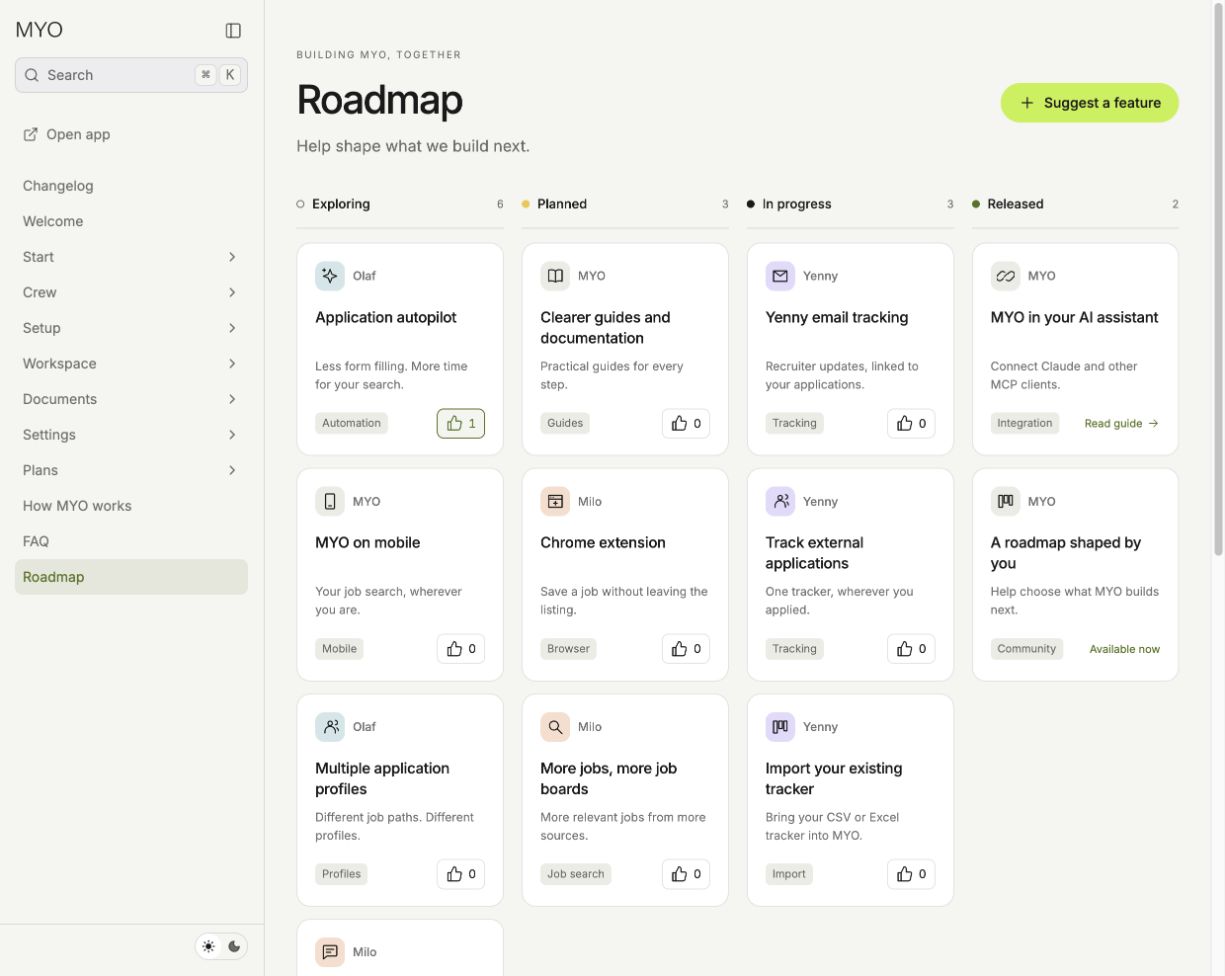
The MYO roadmap shows planned, in-progress and released features. Vote for features with a thumbs-up. Voting needs no account or email address.
Open a card for the details, leave private feedback, or suggest something missing. After voting, you can optionally leave your email to hear when that feature is released. Your feedback stays private; only vote counts are public.
Downloading application documents now marks the application as Applied
Downloading the CV or cover letter for a complete application now moves it to Applied automatically. There's no need to return and mark it yourself, and the walkthrough reflects the shorter flow.
You still submit the files on the employer's website. Applied is a tracker status; downloading does not send an application to the employer.
Improvements and fixes
- Job links you bring to MYO now appear on your daily Opportunities board and count towards your daily limit.
- Applications started through WhatsApp now send draft-ready updates with a link to review in MYO. Stray citation symbols have also been removed from replies.
Cover letters now keep their formatting across PDF, Word and WhatsApp
We fixed a problem that could turn a cover letter into a cramped, half-page note. Letters now use the complete writing guidance and clearer paragraph spacing in the preview, PDF and Word exports.
Documents sent through WhatsApp also keep your chosen font, colour and contact details, using the correct cover-letter layout. Your manual font-size choices are preserved.
Public guides for setting up MYO and managing your applications
The MYO docs are now public. Find step-by-step guides for getting started, preparing documents, using the tracker and understanding credits, plus answers to common questions.
Browse by topic or use search to get to the step you need. The guides cover what Milo, Olaf and Yenny do, and what stays in your hands: reviewing your documents and submitting each application.
MCP integration for job search, CVs and application tracking
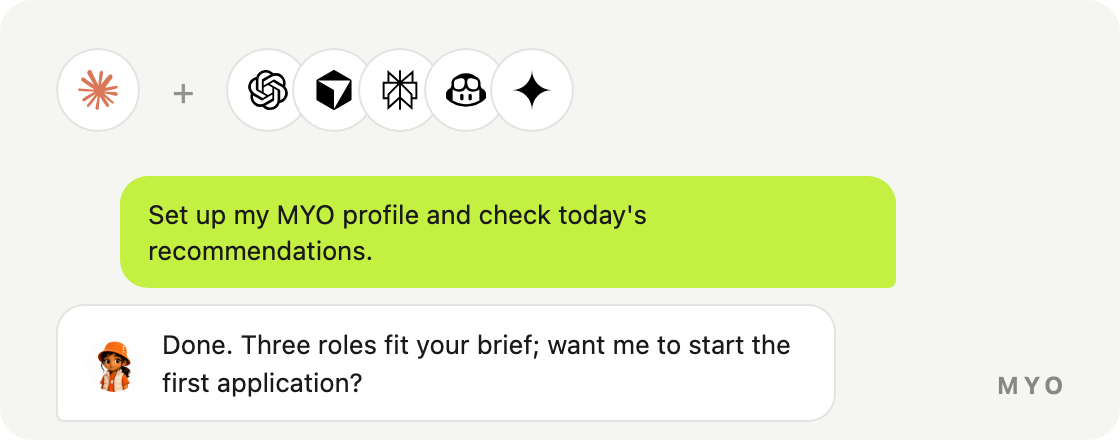
MYO now supports Model Context Protocol (MCP). Connect Claude or another compatible AI assistant to search jobs, prepare CVs and cover letters, and check your application tracker. The assistant uses your existing MYO profile and preferences.
Open Settings → Connected accounts → Claude and API access to connect. The connector is also available during onboarding. You can revoke access from Settings at any time.
Your existing credits cover the MYO actions you use. Exported documents are saved in MYO Drive so you can return to them later.